> ## Documentation Index
> Fetch the complete documentation index at: https://www.onuro.ai/docs/llms.txt
> Use this file to discover all available pages before exploring further.

# Usage Monitoring

> Track and manage your AI usage costs

<Note>
  Your balance will automatically be refilled to \$5 each time it reaches \$0.
</Note>

## Account Balance

You can view your current account balance at any time by going to `Settings > Manage Account`.
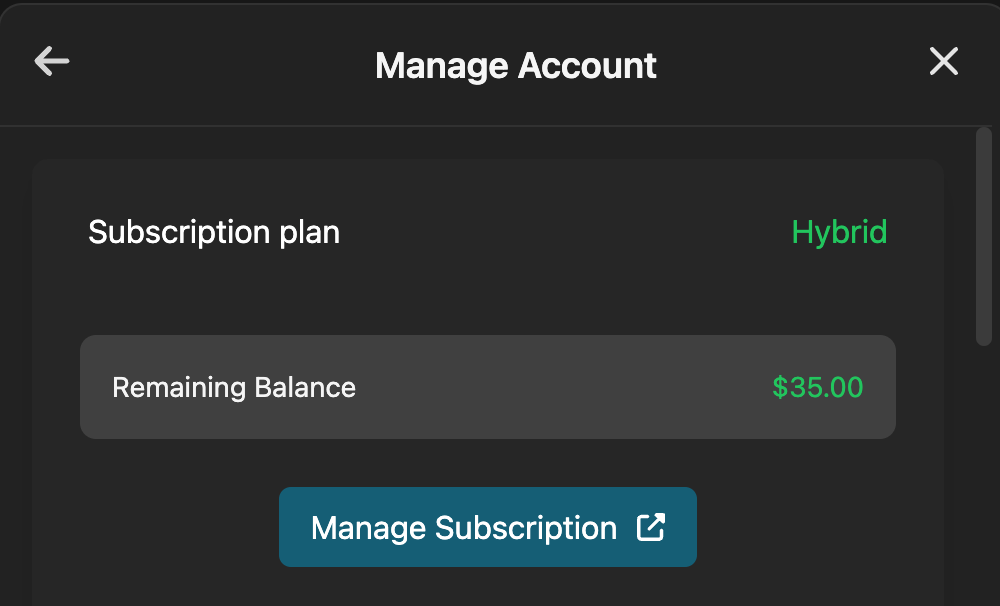
<Frame>![Account Balance View](https://wfclardozsxtrutoorim.supabase.co/storage/v1/object/public/conversationMedia/RgJxRy8mtwbKrm6v6JNasIYXBXN2/a3dfc137-cb2e-465e-8b33-33ea8be3a1c2)</Frame>

## Session Usage

You can monitor your current session costs through `Settings > Manage Account`. This will show your usage data for the current session.
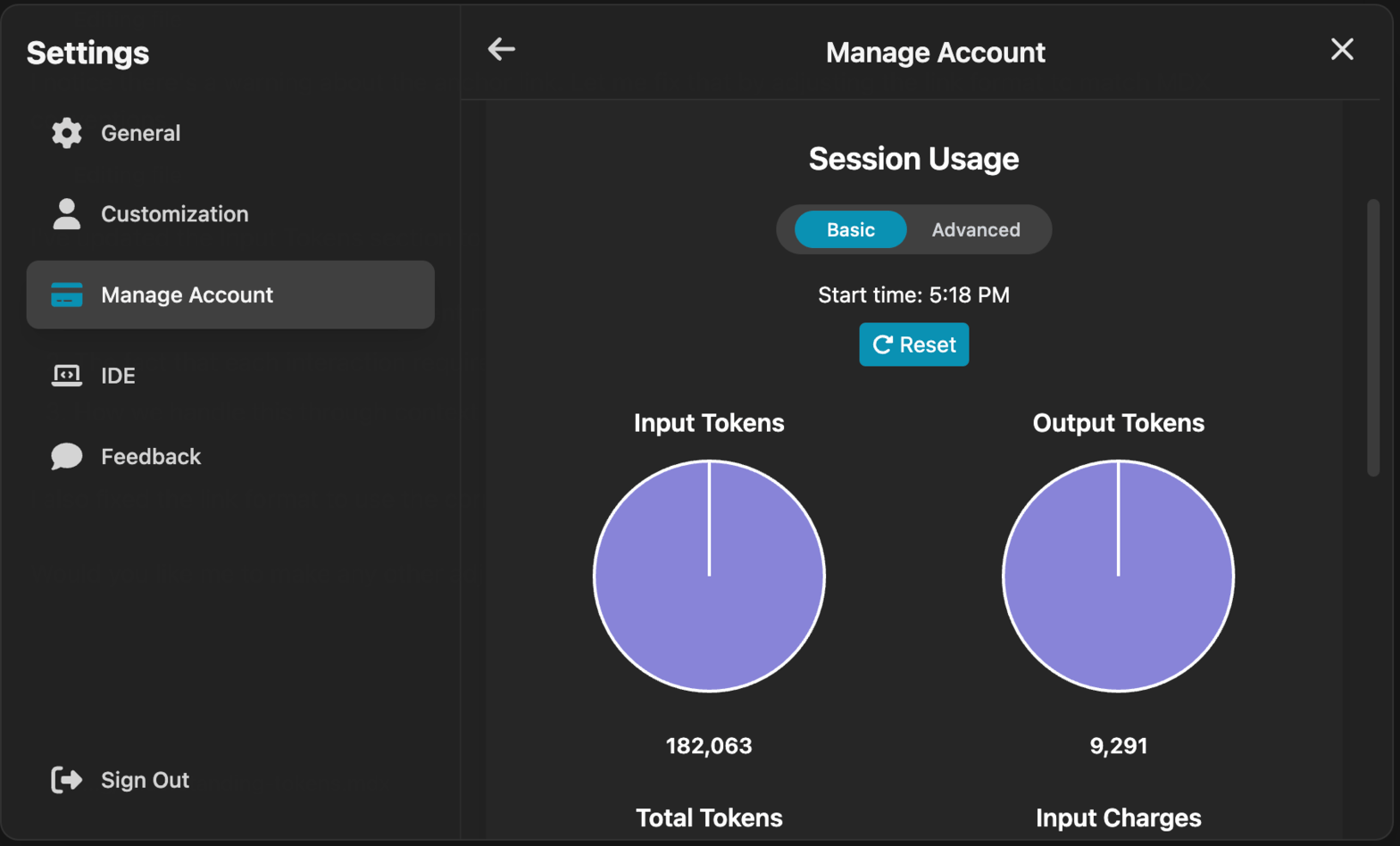
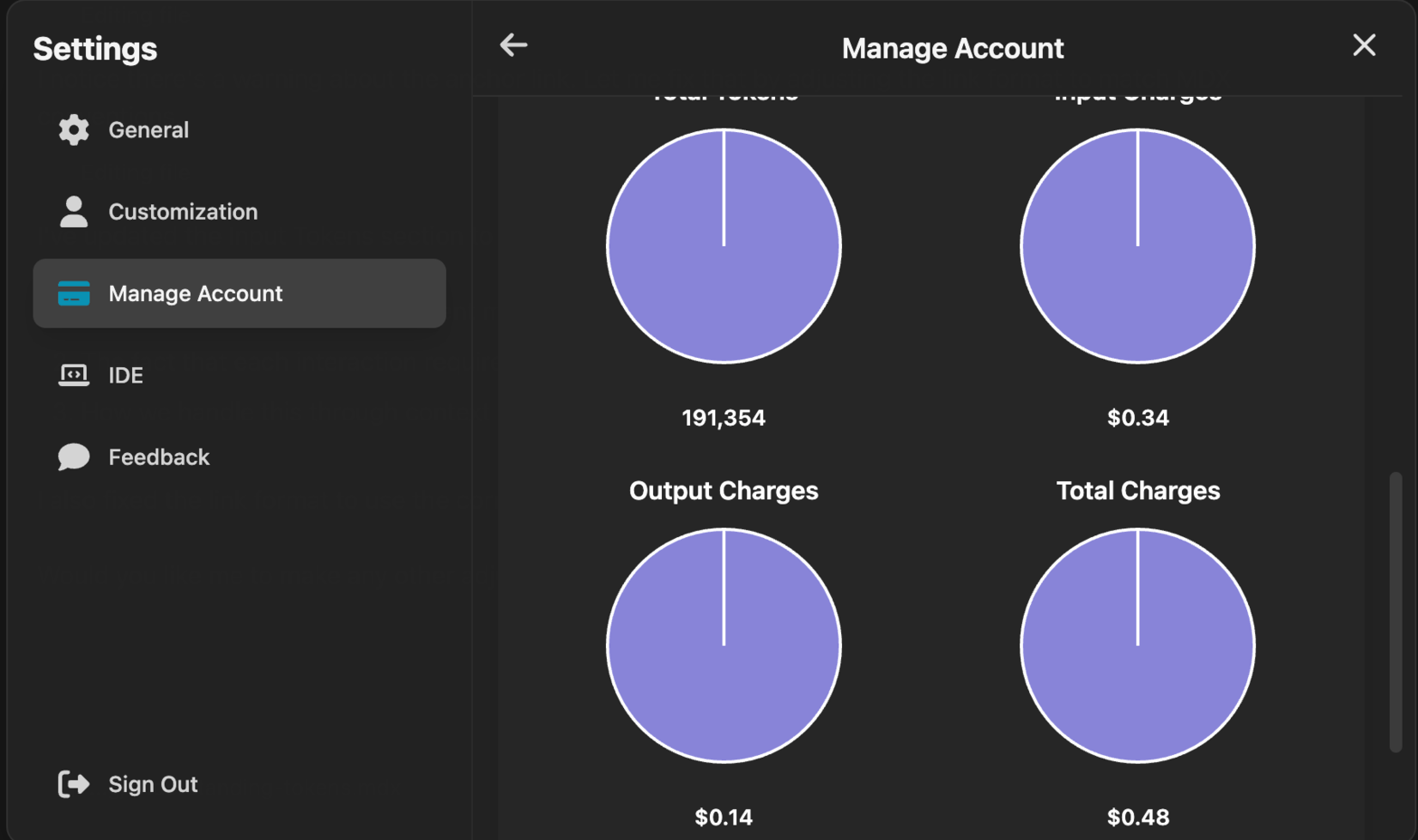
<Frame>![Basic Usage View](https://wfclardozsxtrutoorim.supabase.co/storage/v1/object/public/conversationMedia/HicQNOtji5Ue7sd7xOTZ6E3eC3F2/2b314711-7e1b-436b-9945-a53aa72561c1)</Frame>

<Frame>![Advanced Usage View](https://wfclardozsxtrutoorim.supabase.co/storage/v1/object/public/conversationMedia/HicQNOtji5Ue7sd7xOTZ6E3eC3F2/3a577492-c5c7-4bca-91fa-369e5a5850a3)</Frame>

## Monthly Usage

You can get a month by month overview of your usage charges by visiting the [manage account page](https://www.onuro.ai/manage-account).
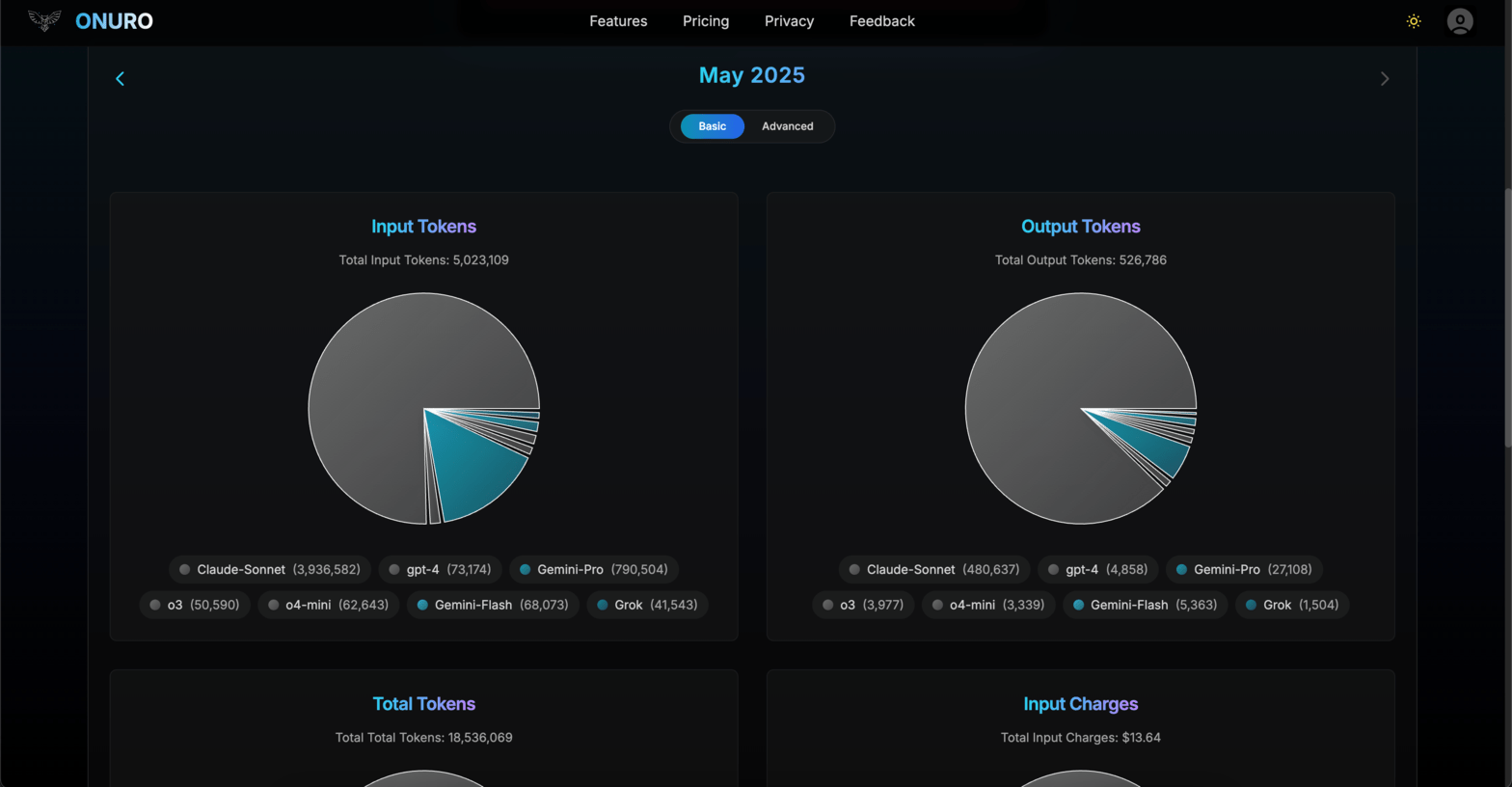
<Frame>![Monthly Usage Overview](https://wfclardozsxtrutoorim.supabase.co/storage/v1/object/public/conversationMedia/HicQNOtji5Ue7sd7xOTZ6E3eC3F2/7f5e6569-1076-4631-82e8-531a0790db42)</Frame>
