> ## Documentation Index
> Fetch the complete documentation index at: https://www.onuro.ai/docs/llms.txt
> Use this file to discover all available pages before exploring further.
# Code Completions
> Advanced AI-powered code suggestions
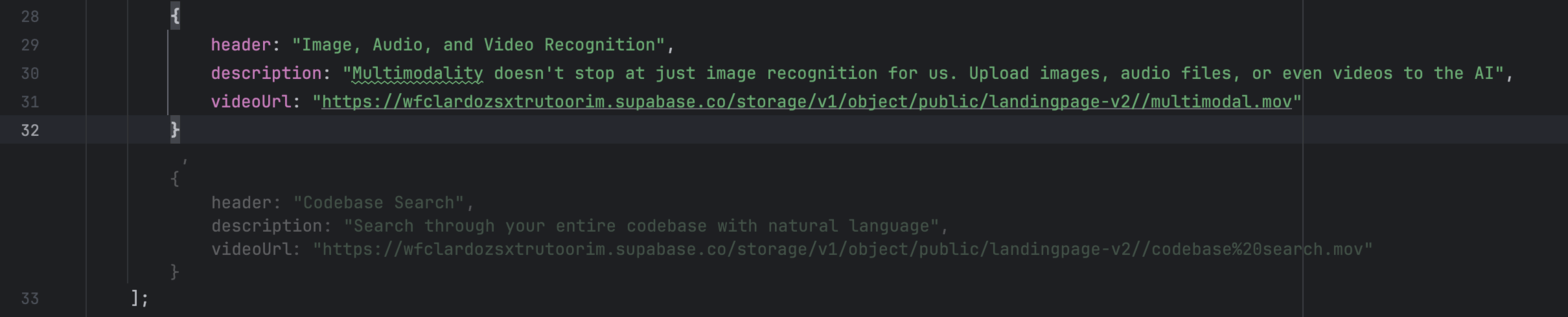
Trigger intelligent code completions at any time by pressing `Option/Alt + X`. When a completion appears:
* Press `Tab` to accept the suggestion
* Press any other key to dismiss it
## Types of Code Completions
Onuro offers two distinct types of code completions depending on how you trigger them:
### Tap Completion
**Quick, automatic code suggestions**
Simply press `Option/Alt + X` briefly to trigger automatic code completion. The AI analyzes your current context and provides an immediate suggestion based on what it thinks you're trying to write.
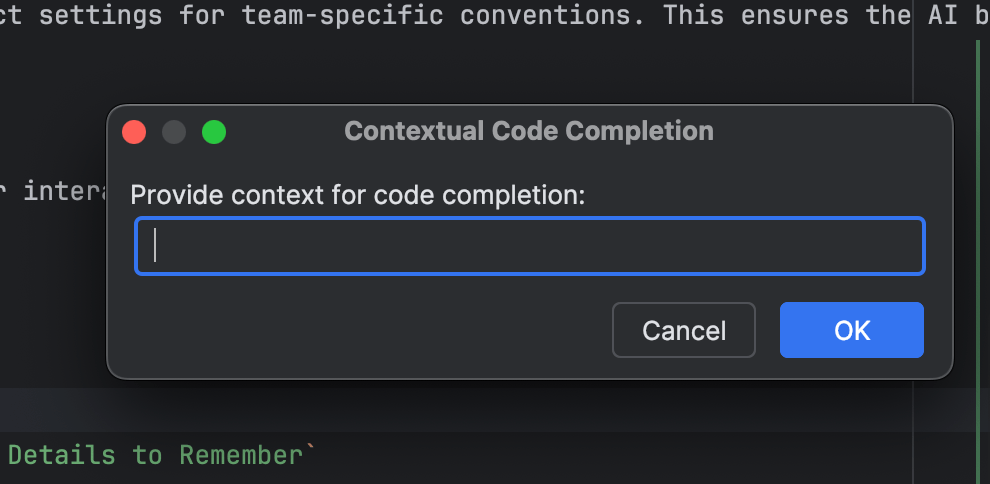
### Hold Completion (Contextual)
**Interactive completion with custom input**
Press and hold `Option/Alt + X` to open the contextual code completion dialog. This allows you to:
* Provide specific context about what you want to implement
* Give the AI additional information to generate more targeted suggestions
* Request completions for complex logic that requires explanation
### Choosing Between Tap and Hold
| Use Case | Best Option |
| ------------------------------------------ | -------------------------------------- |
| Quick variable names or simple logic | **Tap** - Fast and automatic |
| Complex functions or specific requirements | **Hold** - Provides context input |
| Standard patterns the AI can predict | **Tap** - No input needed |
| Custom logic that needs explanation | **Hold** - Allows for detailed context |