> ## Documentation Index
> Fetch the complete documentation index at: https://www.onuro.ai/docs/llms.txt
> Use this file to discover all available pages before exploring further.
# Chat History
> Manage your conversations with favorites, organization, and privacy controls
When you chat with the AI, your conversations are automatically saved to your chat history for easy access and organization.
## Managing Your Chats
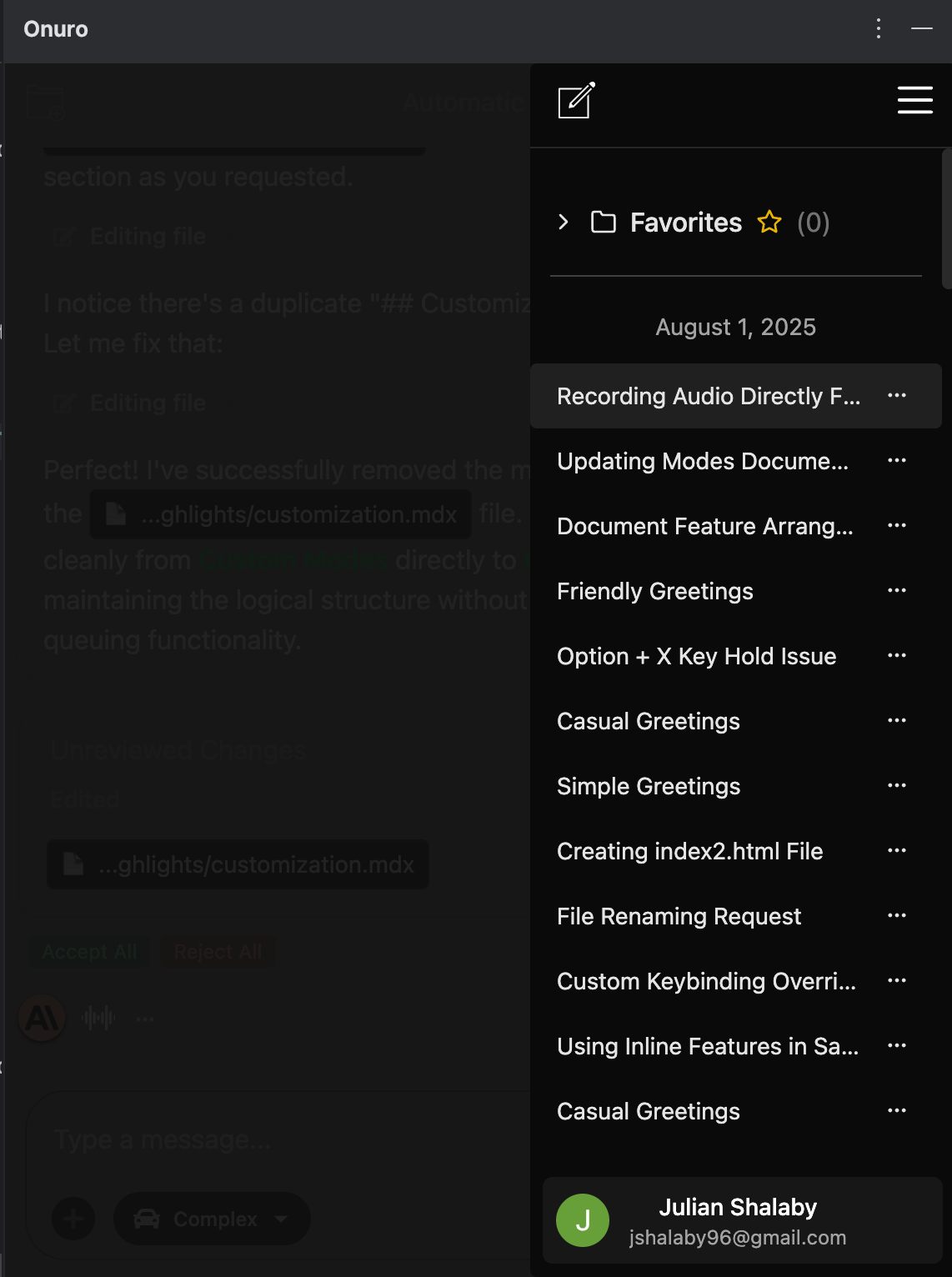
Your chat history provides several ways to organize and manage your conversations:
### Favorites
* **Star conversations** that you want to keep easily accessible
* Favorited chats appear at the top of your history with a star icon
* Perfect for important discussions you'll reference frequently
### Chat Organization
* **Edit chat names** to make them more descriptive and easier to find
* **Search through your history** to locate specific conversations
* Chats are organized by date for chronological browsing
### Chat Actions
* **Delete individual chats** when you no longer need them
* **Share chats with friends** to collaborate or get feedback
* Access chat settings through the menu options
## Privacy Controls
### Incognito Mode
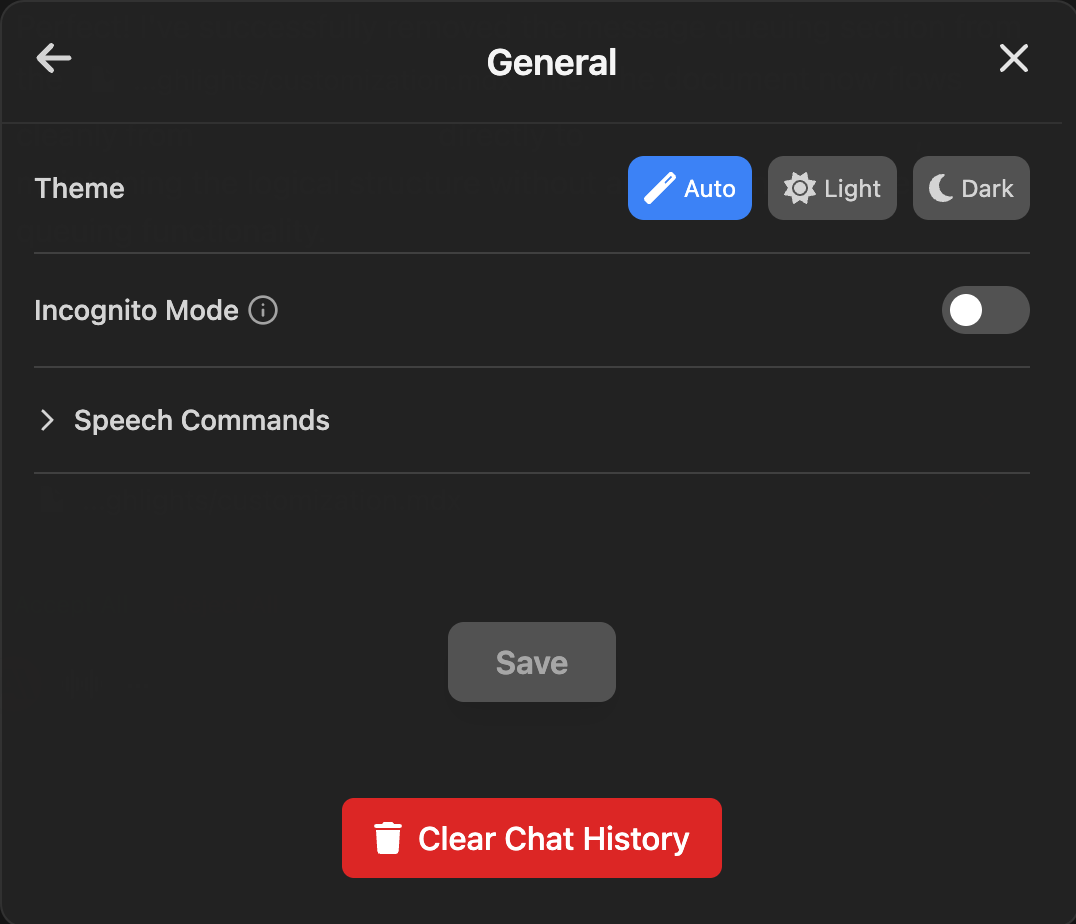
When you want complete privacy, enable **Incognito Mode** from your settings:
* Prevents conversations from being saved to your chat history
* Perfect for sensitive discussions or temporary conversations
* Can be toggled on/off as needed
* Located in `Settings > General > Incognito Mode`
### Data Control
* **Clear Chat History** option available in settings for a fresh start
* All deleted conversations are permanently removed
* Your chat history is private and only accessible to you
Use favorites to bookmark important conversations and incognito mode when you need temporary, private discussions that won't be saved.
## Best Practices
* **Name your chats descriptively** after the conversation to make them easier to find later
* **Use favorites sparingly** for truly important conversations to keep them organized
* **Enable incognito mode** when discussing sensitive topics or when you don't want the conversation saved
* **Regularly clean up** old conversations you no longer need to keep your history organized